
AI-Assisted Research

Getting Started with Google's NotebookLM

NotebookLM is an AI-powered research assistant developed by Google that can be particularly useful for faculty and students. Watch this video (39:06) to learn how it can be used for:

  • Document summarization: Upload documents such as PDFs, Google Docs and web URLs to summarize content and generate insights.
  • Answer questions: Ask questions about uploaded sources and receive responses with inline citations.
  • Content creation: Generate summaries, timelines, FAQs, study guides and podcast-style audio overviews based on your source materials.
  • Collaboration: Support collaborative note-taking and idea organization for group projects and research teams.

IRB AI Proofreading Tool

AI Enablement Team Spotlight

The App State Institutional Review Board (IRB) launched the IRB AI Proofreading Tool (login required) to assist faculty, staff and students in strengthening in-draft Cayuse IRB applications. Upload a PDF with an application to receive AI-generated feedback on inconsistencies, clarity and whether a submission might qualify for exemption. Learn more: Introducing the App State IRB AI Proofreading Tool. 

Video demo: How to use the App State IRB proofreading tool (7:23), 2025.
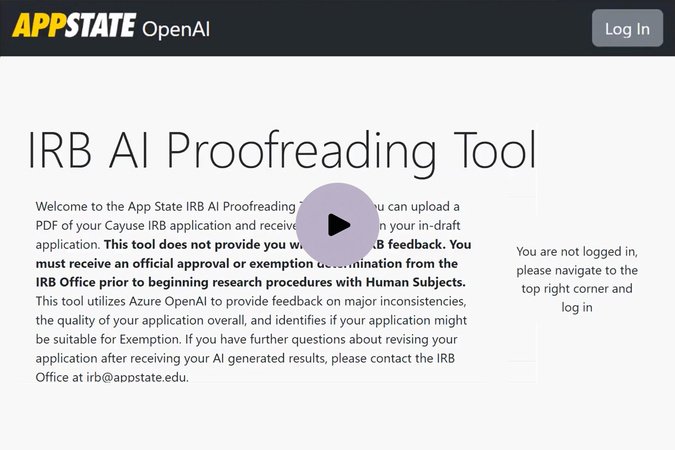
Video thumbnail introducing the App State IRB AI Proofreading Tool for reviewing IRB applications.

Uses of AI in Research

AI can help enhance the clarity, consistency and accessibility of funding proposals and make collaborations more effective by assisting with the following:

Microsoft Copilot

  • Document editing – Proofread documents for spelling and grammatical errors.
  • Document revision – Get suggestions on how to make documents more concise.
  • Document review – Have proposal documents reviewed for adherence to guidelines and review criteria.
  • Funding opportunities - Ask AI to identify funding opportunities that match your research interests.

Zoom AI Companion

  • Meeting transcriptions – Get real-time captions and transcripts of meetings with your proposal team.
  • Catch-up summaries – Recap discussions for late joiners.
  • Action items – Detect and list follow-up tasks.

NotebookLM

  • Conversation Summaries – Extract key points from emails, chats, and documents.
  • Brainstorming and outlining – Structure ideas for a proposal for a specific funding opportunity.
  • Content updates – Suggest documentation revisions to eliminate repetitive information and make the proposal more concise.
  • Literature review - Produce summaries of research articles and search for key information within the articles.

Google Gemini

  • Research planning – Generate a structured plan based on a given topic or question, outlining steps, sources, and potential knowledge gaps.
  • Generating research questions –  based on existing literature to explore new angles and perspectives.
  • Exploring hyperlocal information – Gemini's Deep Research feature is particularly useful for finding information about specific locations or communities. 

Accelerating Scientific Discovery

AI is Transforming Research

Researchers are using AI to support literature reviews, data analysis, grant writing, research planning and collaboration. AI is transforming science, from advancing drug discovery to improving understanding of animal communication. The Economist (16:01), 2024.

Learn More

Grants Resources & Services

AI guideline, policy & funding updates

Stay informed about federal, institutional and research governing body regulations on AI use in research and peer review.

University Libraries

LibGuides for GenAI Literature Reviews

Maintain a repository of AI tool use and guidance on documenting GenAI content in research, including searching, screening, appraising and synthesizing and summarizing.