

Practical Uses for GenAI

AI tools come in many forms, each designed to streamline tasks, boost creativity and improve efficiency. Here are some common types and how they can help. AI that...

Understands and works with text

  • Enhances reading, writing and organization of information.
  • Summarizes long documents or articles.
  • Suggests better ways to word emails or papers.
  • Answers questions or explains complex topics.

Creates images and designs

  • Simplifies visual design without requiring advanced skills.
  • Creates posters, graphics and social media images.
  • Generates custom visuals for presentations or projects.
  • Edits and enhances photos automatically.

Analyzes data and finds patterns

  • Extracts insights from large datasets to support decision-making.
  • Identifies trends and correlations.
  • Makes data-driven predictions.
  • Enhances research and problem-solving.

Sees and understands pictures and videos

  • Interprets and organizes visual content for easier access.
  • Identifies objects, scenes and text in images.
  • Sorts and categorizes photos and videos.
  • Scans and converts handwritten notes into digital text.

Makes recommendations

  • Provides personalized suggestions based on your needs.
  • Recommends relevant resources and tools.
  • Assists in selecting software and apps.
  • Offers solutions and ideas for problem-solving.

AI Use Cases

Students use laptops and take notes while participating in a classroom discussion.

Learn with AI

Build study guides, strengthen research skills and support your writing responsibly.
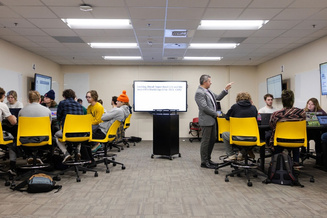
Instructor works with student groups in an active learning classroom with shared displays.

Teach with AI

Enhance course design, personalize learning and support teaching and research.

Staff members meet in an office, discussing information displayed on a computer monitor.

Work Smarter with AI

Streamline workflows, improve communication and increase administrative efficiency.